• Skip to main content
  • Skip to secondary menu
  • Skip to primary sidebar

Old School Racing

iRacing Setups and Resources • Dirt & Asphalt Oval Racing News

  • Get iRacing Setups
  • iRacing Driving Tips
    • iRacing Rookie Tips
      • Tips for Surviving the iRacing Rookie Series
      • iRacing Dirt Career Paths for Rookies (and Beyond)
      • iRacing Rookie Guide Part 1
      • iRacing Rookie Guide Part 2
      • iRacing Rookie Tip: Stop The Car
      • iRacing Rookie Tips: Getting Started and Moving Up
      • iRacing Savvy – Develop Your Racecraft
      • Surviving The iRacing Rookie Series
    • Virgil Graham Slide Job Video
  • iRacing Quick Tips
  • iRacing Setup Help
    • How to Adjust iRacing Asphalt Legends Car Springs and Cross Weight
    • How to Adjust iRacing Sprint Car Cross Weight AKA Wedge
    • How to Make an iRacing Sprint Car Qualifying Setup
    • iRacing Advanced Legends Car Setup Matrix
    • iRacing Asphalt Late Model Stock Car Setup Matrix
    • iRacing Big Block Modified Setup Guide
    • iRacing Big Block Modified Setup Matrix
    • iRacing Dirt Late Model Setup Matrix
    • iRacing Dirt Sprint Car Setup Matrix
    • iRacing Dirt UMP Modified Setup Matrix
    • iRacing Dirt Car Specifications
    • iRacing Dirt Winged Sprint Car Setup Tutorial
    • iRacing Setup Guides
    • iRacing Setup Shop: Tire Stagger
    • iRacing Setup Stagger Chart
    • iRacing Setup Tips for Asphalt Oval Racing
    • NASCAR iRacing Class A Next Gen Cup Car Setup Matrix
    • Quick & Easy Guide: Making an iRacing Dirt 358 Modified Setup
  • iRacing Ton-o-Help
    • Hidden Feature in the iRacing Simulation: DriverRotateHead
    • Hidden Feature in the iRacing Simulation: DriverHeadHorizon
    • How to Automatically Set and Save the Correct Force Feedback For Each Car in iRacing
    • How to Change the Head Rotation Look Angle in iRacing
    • How to Disable Automatic Fast Repair, Tire Changes, and Fuel Fill in iRacing
    • How To Download and Open iRacing Setups
    • How to Improve Your Safety Rating Without the Risk of Racing Against Other Drivers
    • How to Install, Configure, and Use Discord
    • How to Properly Use Custom Car Numbers in iRacing
    • How To Run an iRacing Time Trial
    • iRacing Radio Information
    • Logitech G27 Calibration and Settings for Dirt Rally
    • Logitech G27 Calibration and Settings for iRacing
    • Logitech G29 and G920 Calibration and Settings for iRacing
    • Understanding the Dirt Late Model
  • FREE iRacing Setups

Goodbye iRacing, Hello Dirt Trackin’!

July 3, 2017 by Jeff Kendrick Leave a Comment

I was browsing around today and I found something that really turned my head. It’s a great new game from the famous Bennett Racing Simulations! You gotta get it today guys!!!

Logitech G923 Racing Wheel and Pedals

Logitech G923 Racing Wheel & Pedals

One of the most popular entry-to-mid level sim racing wheels available today. The G923 delivers strong TRUEFORCE feedback up to 1000 Hz that lets you feel the road with refreshing clarity, a responsive brake pedal with progressive spring, and a solid set of pedals built for consistent control. It includes a programmable dual-clutch launch system for cleaner starts, a genuine leather-wrapped wheel, and straightforward compatibility with PC, Xbox Series X|S, and Xbox One.

Buy on Amazon

Affiliate link • Ships fast from Amazon

It’s called Dirt Trackin’ and it even has Late Models. Take a look at the garage!
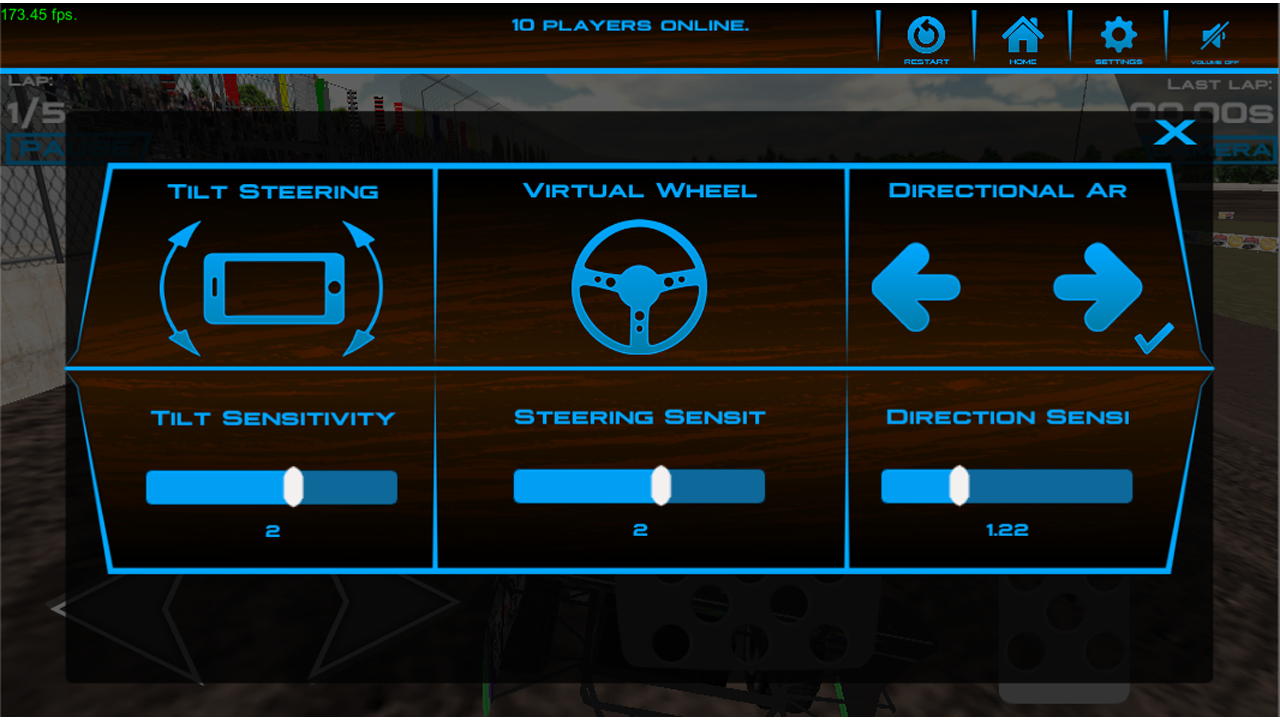
Does anybody have any setups for these?

Now take a look at the graphics. Yes!!
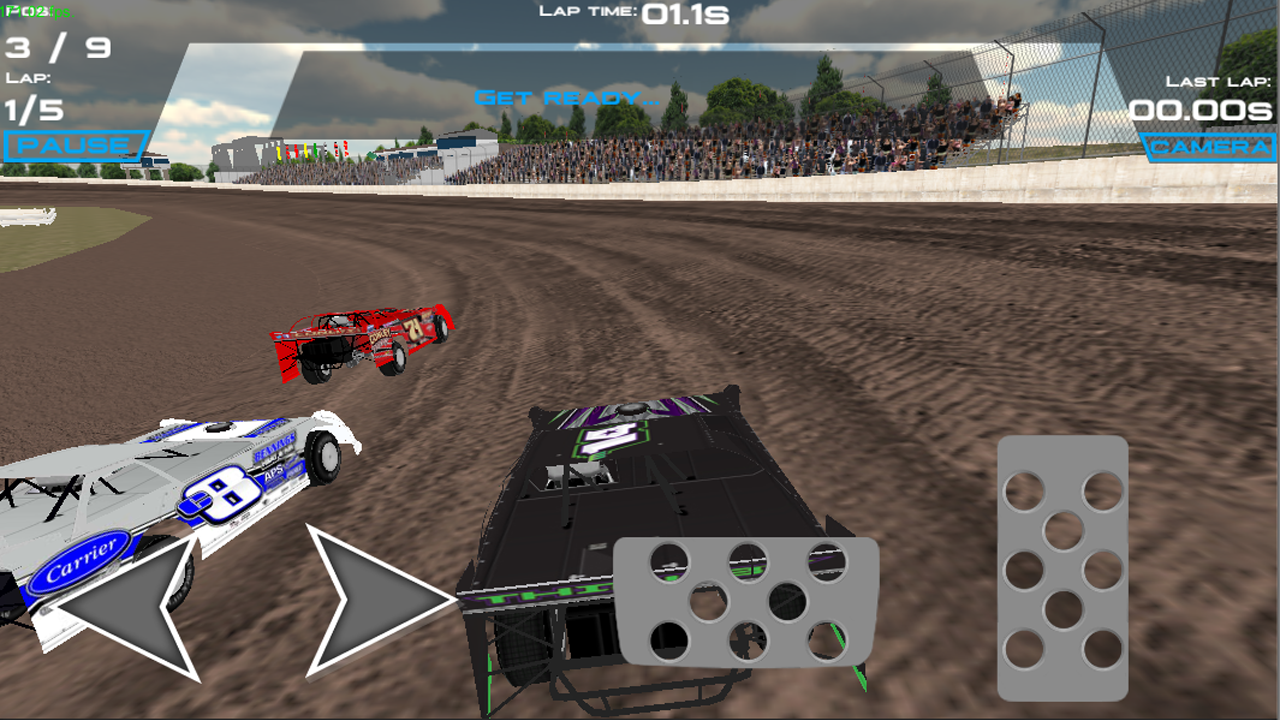
iRacing eat your heart out. haha

Now listen to this: It has SIX dirt tracks! That’s two more than iRacing has! And it even has real world dirt drivers like Bub McCool and Hotdog Burnett!

It gets GREAT reviews too! Mick says:

This game is so relist its insame but need to ad d kage karts and sprint cars 360 and 410 and kage karts 125 , 250 , 500

I couldn’t agree more, Mick!

Logitech G923 Racing Wheel and Pedals

Logitech G923 Racing Wheel & Pedals

One of the most popular entry-to-mid level sim racing wheels available today. The G923 delivers strong TRUEFORCE feedback up to 1000 Hz that lets you feel the road with refreshing clarity, a responsive brake pedal with progressive spring, and a solid set of pedals built for consistent control. It includes a programmable dual-clutch launch system for cleaner starts, a genuine leather-wrapped wheel, and straightforward compatibility with PC, Xbox Series X|S, and Xbox One.

Buy on Amazon

Affiliate link • Ships fast from Amazon

Now you are not going to believe what else I found. Another great sim that has Sprint Cars! I’m busting guys! I’m busting!

I guess everybody loves Sprint Cars! I know I do!

This one has

  • 3D Sprint Car racing with physics just like the real thing
  • Touch or tilt steering controls
  • 5 different view settings
  • Select the amount of laps per race
  • Free Practice mode
  • Easy, Medium or Hard levels for AI
  • Lap times for trakin your best laps
  • Regular updates will include more tracks, cars, and game modes including championship coming soon!

Those 3D graphics are sooo sweet!
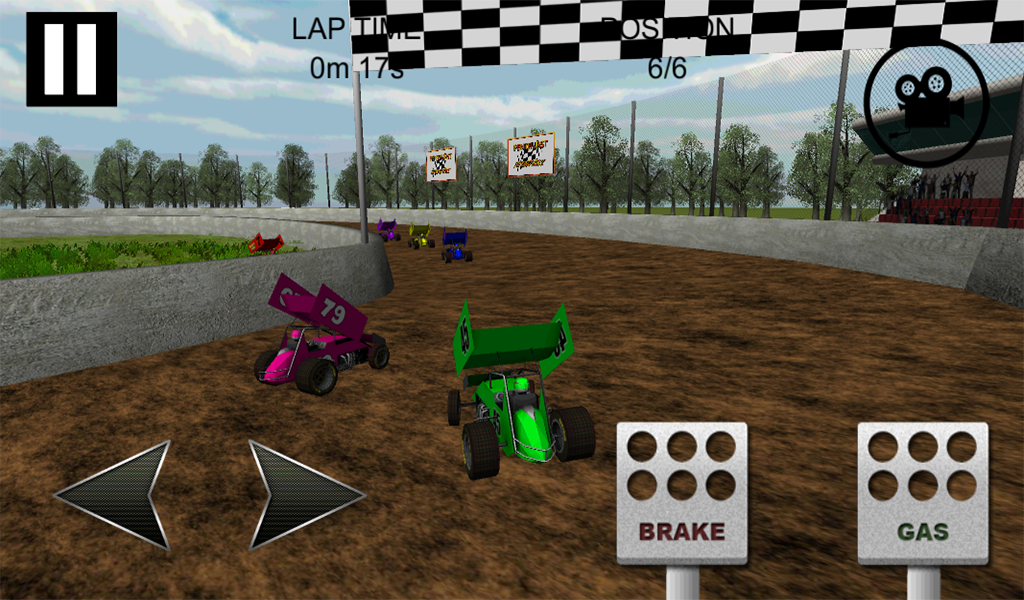
Too bad iRacing can’t make their games look like this!

The garage is pretty complex though.
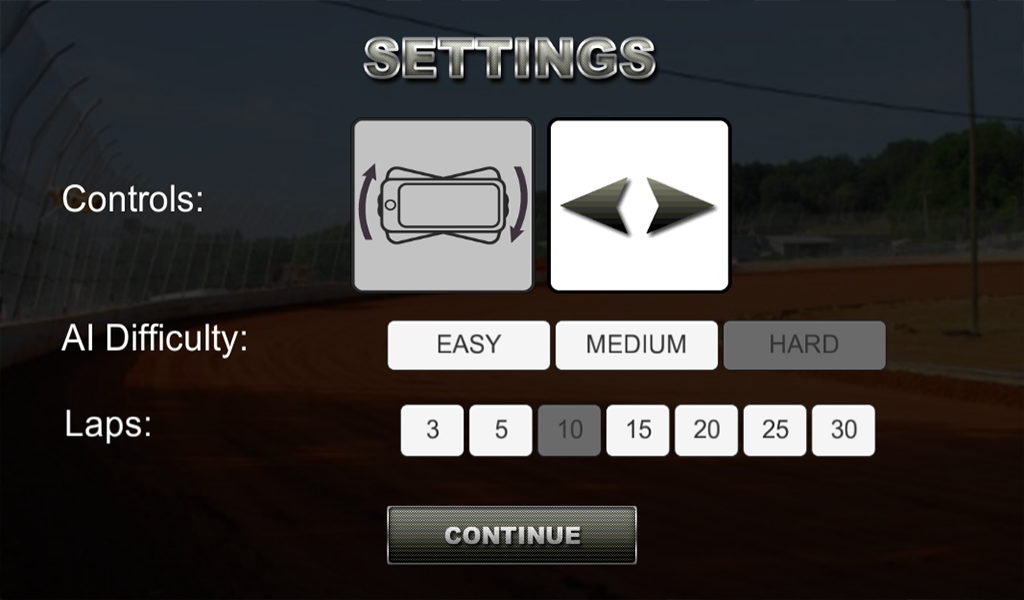
Seriously guys, I wouldn’t try this with the AI on hard. No way!

Gotta go guys, gotta practice! This sim is hard!

Filed Under: Racing News Tagged With: goodbye iracing, new dirt racing sim

Reader Interactions

Leave a Reply Cancel reply

Your email address will not be published. Required fields are marked *

Primary Sidebar

iRacing Setups are Now
Available Here (OSR Discord)

FREE iRacing Setups are
Available Here (Limited)

Best Bang-For-Buck Entry-Level DD

Moza R5 BundleThe Moza R5 Bundle delivers the best value in entry-level direct drive — 5.5Nm of smooth power at a price that actually makes sense.

OSR Social Links

  • OSR Rumble Racing Videos
  • OSR Youtube Racing Videos
  • OSR Discord
  • OSR Facebook
  • OSR 𝕏

Search

OSR Rumble Racing Videos | OSR Discord | OSR Facebook
© 2026 · Old School Racing Motorsports · Privacy