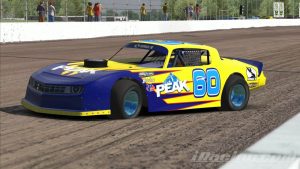
This forum post popped up in the Dirt Super Late Model forum. The post is pretty specific. The poster is asking about setting up a Super Late Model for USA International Speedway, also known on iRacing as Lakeland.
Anyone have a starting point for a decent setup or a guide on how to setup? I’m more of a driver still trying to learn how to tune. I can’t seem to figure out why the car keeps snapping to the right and I don’t know if it’s the setup or how I’m driving.
One of the guys who can actually drive these things provides a pretty good answer to this specific question:

Next Level Racing Wheel Stand 2.0
Master your laps without dominating the room. The Next Level Racing Wheel Stand 2.0 stands rock-solid for direct-drive wheels, yet folds away in seconds when real life calls. Full adjustability for wheel, pedals, and shifter lets a man settle into his proper position the honest way. A clever chair cradle keeps your seat planted under hard braking, while predrilled mounts welcome Thrustmaster, Fanatec, Logitech, and the rest. Upgrade later to a full cockpit with the GTSeat add-on. Serious performance, sensible footprint—no compromises required.
Buy on AmazonAffiliate link • Ships fast from Amazon
Start with rolling on the throttle more slowly off corner. Abrupt throttle will often make the supers jump right. If that doesn’t help try taking bite out (less weight on LR). It is all trial and error to find what will work for you. You can also lower RR shock bump number and increase LR bump to see if that helps you. Small changes and test after each single change – really tedious, but the only way to figure out what the adjustments do.
I agree with this answer, too much throttle too quickly will make iRacing dirt cars snap to the right. But too little throttle can do the same thing, as can too much left rear bite (as the answer says) and a myriad of other driver quirks and probably settings in the car.
Something else to consider is that every iRacing dirt car has a tendency to snap to the right. It usually happens on corner exit, but it can happen at any time going down the straightaway, especially at tracks like USA International Speedway and Williams Grove Speedway where the straightaways are relatively long and straight.
It’s disconcerting to be pretending to drive a race car that suddenly snaps to the right for no apparent reason. I know a few of the asphalt drivers that have been around for a few years on iRacing who attempted to play in the dirt, but gave up because the cars are so awful, and the biggest complaint I heard was that the car snaps to the right.

Logitech G920 Driving Force Racing Wheel & Pedals
This serves as a no-nonsense entry into realistic driving. Dual-motor force feedback delivers honest steering weight and road detail, while the sturdy floor pedals offer progressive braking and smooth throttle. Stainless steel paddle shifters, a leather-wrapped rim, and a full 900-degree rotation create a setup that earns its spot on your rig without needless extras. It works cleanly with Xbox Series X|S, Xbox One, and PC.
Buy on AmazonAffiliate link • Ships fast from Amazon
Some cars aren’t as bad about it. The Winged Sprint Cars seem a bit better. In the case of those cars, it must have something to do with all of the downforce on the rear tires. The Winged Sprint Cars can be fun, but even they are not immune from this loathsome behavior. As you go down in power, there is less tendency to snap right. The Limited Late Model and the Dirt Street Stock Cars take on a new appeal because of their low power. In fact, they are probably the best dirt cars on the iRacing service at this time.
There are many factors that cause all of the iRacing dirt cars to snap right. Some of them were named above. It is my opinion that the root cause of this major problem is the current iRacing tire model. It is an established fact that this tire model is broken. The tire has far too much longitudinal grip in most situations. According to Steve Reis, Senior Vehicle Dynamic Engineer for iRacing, the tire is the problem.
The lack of longitudinal wheel spin is something we ran up against during development on all the dirt cars really. Basically everything just felt like it had too much forward bite at times. Seemed worse on some cars than others, but I think everything has it to some degree because it’s currently a limitation of the tire model itself on the dirt surface.
There are limitations within the current model that don’t properly allow the longitudinal grip to decay beyond some peak slip ratio, which inhibits the onset of longitudinal wheel spin (drive grip reduction with slip ratio increase). Currently the longitudinal grip in the model plateaus rather than decays as you reach higher and higher slip ratios. DK is working on an update to the slip curves to give us more decay in longitudinal grip as slip ratio increases, which would give the desired wheel spin effect.
Note that Reis points out that the problem exists with all dirt cars but seemed worse on some cars than others. More horsepower equates to a bigger problem, as does less rear downforce. If you were around when dirt racing was first introduced, you will remember that the Limited Late Model had no rear spoiler. The car was a rolling piece of excrement. iRacing added a spoiler and, voila, the car was golden and is now the centerpiece of one of the more active dirt racing series on iRacing. The spoiler added rear downforce and maybe iRacing added a little more rear downforce. You see where I’m going here.
It seems odd that problems caused by too much forward bite can be corrected by adding downforce, but keep in mind this is not the real world and you can’t think of it in those terms. This is a computer simulation, so some things that might seem like common sense don’t really apply. Neither do the laws of physics.
I envy the guys who have figured out how to keep the iRacing dirt cars from snapping right so badly. There are a few that can competently drive these excrement boats. I’ve gotten better, but I still don’t feel competitive in these cars, and I know I’m not alone. As long as the iRacing dirt cars are broken, we will continue to see people taking a “wait and see” stance on iRacing dirt, and we will continue to see posts asking why the cars always snap right, and we will continue without any real answers to that question.
Fortunately, iRacing has begun rolling out a new tire model. After a while it should make its way to the dirt cars, maybe by 2019 Season 4 if we’re lucky. Until then, I’ll stick with the low-powered Street Stock as my primary car and maybe the Limited Late Model and 305 Sprint cars occasionally. This defect is too pronounced on cars with more power and less rear downforce. The average joe can’t drive them competently. Count me out.
Leave a Reply