ClubSport DD and DD+ Get a Torque Upgrade
Sim racers are a peculiar tribe. Give them a firmware update and suddenly they’re checking torque numbers like gearheads comparing horsepower at a Saturday night drag strip. In this case, the update actually matters.

Next Level Racing Wheel Stand 2.0
Master your laps without dominating the room. The Next Level Racing Wheel Stand 2.0 stands rock-solid for direct-drive wheels, yet folds away in seconds when real life calls. Full adjustability for wheel, pedals, and shifter lets a man settle into his proper position the honest way. A clever chair cradle keeps your seat planted under hard braking, while predrilled mounts welcome Thrustmaster, Fanatec, Logitech, and the rest. Upgrade later to a full cockpit with the GTSeat add-on. Serious performance, sensible footprint—no compromises required.
Buy on AmazonAffiliate link • Ships fast from Amazon
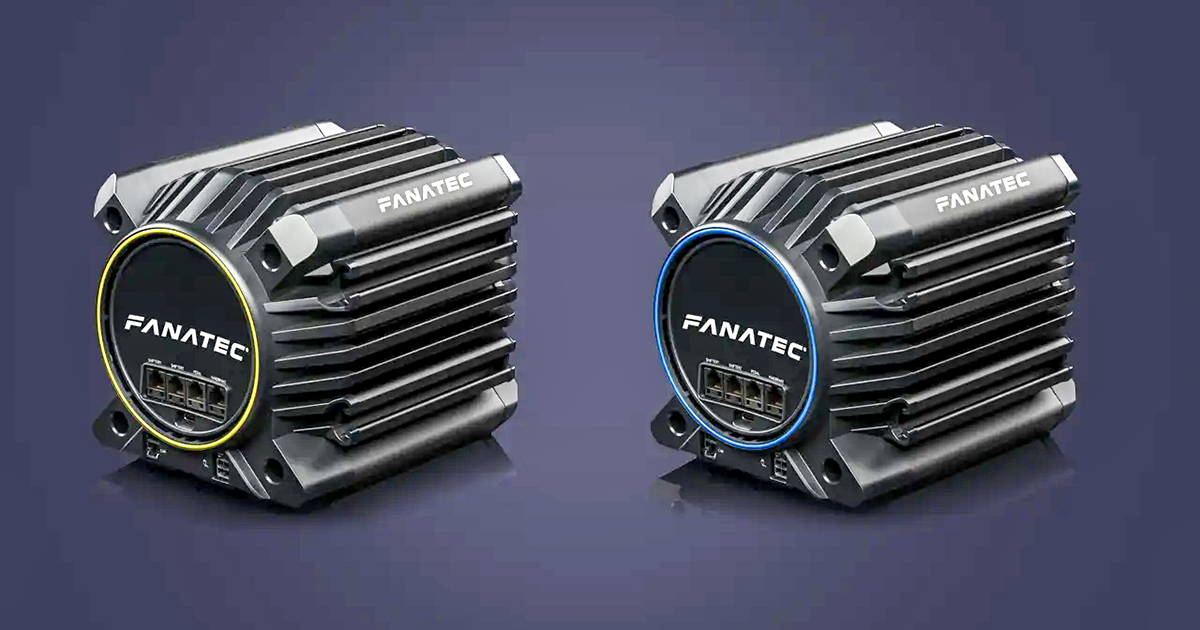
Fanatec has announced that it will increase the torque output of two of its existing direct drive wheel bases, and the change arrives not with a screwdriver or soldering iron, but with a simple firmware update.
Next week, a new update delivered through the Fanatec App will raise the available holding torque for both the ClubSport DD and the PlayStation-compatible ClubSport DD+. The boost is modest on paper but meaningful in the hands:
- ClubSport DD: from 12Nm to 15Nm
- ClubSport DD+: from 15Nm to 18Nm
No new hardware. No add-on power supply. Just install the update and the wheel base unlocks additional strength. In an era where most companies would happily sell you an entirely new box to accomplish the same thing, this is a refreshingly straightforward upgrade.
Next Level Racing Wheel Stand 2.0
Master your laps without dominating the room. The Next Level Racing Wheel Stand 2.0 stands rock-solid for direct-drive wheels, yet folds away in seconds when real life calls. Full adjustability for wheel, pedals, and shifter lets a man settle into his proper position the honest way. A clever chair cradle keeps your seat planted under hard braking, while predrilled mounts welcome Thrustmaster, Fanatec, Logitech, and the rest. Upgrade later to a full cockpit with the GTSeat add-on. Serious performance, sensible footprint—no compromises required.
Buy on AmazonAffiliate link • Ships fast from Amazon
One interesting wrinkle comes with that increase. With the bump to 15Nm, the ClubSport DD now matches the original torque output of the DD+ when the latter first launched. It’s the sort of quiet spec shift that keeps the product lineup competitive without forcing existing owners to open their wallets again.
The ClubSport DD and DD+ first debuted in 2023, marking the beginning of a major hardware refresh for the German sim racing manufacturer. The launch signaled a transition to a new generation of direct drive systems built around improved responsiveness and expanded force-feedback capabilities.
Since then, Fanatec has continued filling out the lineup, most notably with the Podium DD, a flagship unit capable of delivering 25Nm of torque. That model sits at the top of the range for those who believe a steering wheel should feel less like a toy and more like it’s bolted to the front axle of a GT car.
All three of these wheel bases share one of Fanatec’s newer technologies: FullForce. This system adds a haptic layer of high-frequency force feedback effects designed to reproduce fine vibrations and surface details that traditional force feedback systems tend to smooth over. The goal is to create a more nuanced driving experience, allowing sim racers to feel subtleties such as tire scrub, engine vibration, and road texture with greater clarity.
Fanatec has also indicated that FullForce support isn’t limited to its newest hardware forever. The company says it plans to introduce the feature to older and more affordable models as well, including the CSL DD and the Gran Turismo DD Pro. If that rollout happens as planned, it could extend some of the newer technology to a much larger portion of the Fanatec ecosystem.
For now, though, the headline is simple: existing ClubSport DD and DD+ owners are about to get more torque. No hardware swap. No upgrade kit. Just a firmware update that quietly turns the dial a little higher.
Not bad for a download that takes less time than a pit stop.
Leave a Reply