• Skip to main content
  • Skip to secondary menu
  • Skip to primary sidebar

Old School Racing

iRacing Setups and Resources • Dirt & Asphalt Oval Racing News

  • Get iRacing Setups
  • iRacing Driving Tips
    • iRacing Rookie Tips
      • Tips for Surviving the iRacing Rookie Series
      • iRacing Dirt Career Paths for Rookies (and Beyond)
      • iRacing Rookie Guide Part 1
      • iRacing Rookie Guide Part 2
      • iRacing Rookie Tip: Stop The Car
      • iRacing Rookie Tips: Getting Started and Moving Up
      • iRacing Savvy – Develop Your Racecraft
      • Surviving The iRacing Rookie Series
    • Virgil Graham Slide Job Video
  • iRacing Quick Tips
  • iRacing Setup Help
    • How to Adjust iRacing Asphalt Legends Car Springs and Cross Weight
    • How to Adjust iRacing Sprint Car Cross Weight AKA Wedge
    • How to Make an iRacing Sprint Car Qualifying Setup
    • iRacing Advanced Legends Car Setup Matrix
    • iRacing Asphalt Late Model Stock Car Setup Matrix
    • iRacing Big Block Modified Setup Guide
    • iRacing Big Block Modified Setup Matrix
    • iRacing Dirt Late Model Setup Matrix
    • iRacing Dirt Sprint Car Setup Matrix
    • iRacing Dirt UMP Modified Setup Matrix
    • iRacing Dirt Car Specifications
    • iRacing Dirt Winged Sprint Car Setup Tutorial
    • iRacing Setup Guides
    • iRacing Setup Shop: Tire Stagger
    • iRacing Setup Stagger Chart
    • iRacing Setup Tips for Asphalt Oval Racing
    • NASCAR iRacing Class A Next Gen Cup Car Setup Matrix
    • Quick & Easy Guide: Making an iRacing Dirt 358 Modified Setup
  • iRacing Ton-o-Help
    • Hidden Feature in the iRacing Simulation: DriverRotateHead
    • Hidden Feature in the iRacing Simulation: DriverHeadHorizon
    • How to Automatically Set and Save the Correct Force Feedback For Each Car in iRacing
    • How to Change the Head Rotation Look Angle in iRacing
    • How to Disable Automatic Fast Repair, Tire Changes, and Fuel Fill in iRacing
    • How To Download and Open iRacing Setups
    • How to Improve Your Safety Rating Without the Risk of Racing Against Other Drivers
    • How to Install, Configure, and Use Discord
    • How to Properly Use Custom Car Numbers in iRacing
    • How To Run an iRacing Time Trial
    • iRacing Radio Information
    • Logitech G27 Calibration and Settings for Dirt Rally
    • Logitech G27 Calibration and Settings for iRacing
    • Logitech G29 and G920 Calibration and Settings for iRacing
    • Understanding the Dirt Late Model
  • FREE iRacing Setups

Racing News

Bristol Dirt Track Coming to iRacing March 9

March 3, 2021 by Jeff Kendrick Leave a Comment

The World's Fastest Half Mile will be covered with clay by the end of March. The Bristol Dirt Track will host the NASCAR Cup and Truck Series for the first time ever, but iRacing will host races there before that. The Bristol Dirt Track arrives on the iRacing servers in the 2021 Season 2 Build and should be available on March 9. iRacing members will be able to race on the … [Read more...] about Bristol Dirt Track Coming to iRacing March 9

Evernham and Stewart Bring SRX Championship Race to Nashville Fairgrounds Speedway
January 6, 2021 by Jeff Kendrick 2 Comments

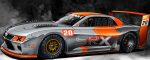
Superstar Racing Experience Car

Nashville Fairgrounds Speedway will host a Superstar Racing Experience (SRX) event on July 17, 2021. The Superstar Racing Experience Series is the brainchild of three-time NASCAR champion Tony Stewart, NASCAR Hall of Fame crew chief Ray Evernham, Sandy Montag and George Pine. The Superstar Racing Experience is a new racing series that runs on Saturday nights. The first race … [Read more...] about Evernham and Stewart Bring SRX Championship Race to Nashville Fairgrounds Speedway

iRacing 2021 Season 1 Release Notes Highlights and Commentary

December 8, 2020 by Jeff Kendrick Leave a Comment

iRacing Beta UI 3D Car Viewer This new feature includes a 3D car viewer tab on some of the screens in the iRacing beta UI. When you click on the tab opens a new window where you can view a 3D model of the car that is rendered in real time, just as though you are viewing the vehicle in the simulator. You can rotate and zoom using click and drag and the mouse wheel. You can … [Read more...] about iRacing 2021 Season 1 Release Notes Highlights and Commentary

iRacing Week 13 is Here Again

December 7, 2020 by Jeff Kendrick 4 Comments

Every season, iRacing gives its members an opportunity to advance to the next license level. They call it "Week 13." It's some sort of black hole between seasons. True to its number, it is bad luck for some of the racers who choose to participate in it. But for some, it's a time of safe races with good finishes and maybe even a license promotion. Old School Racing … [Read more...] about iRacing Week 13 is Here Again

iRacing User Interface – Still Beta at Best
October 2, 2020 by Jeff Kendrick Leave a Comment

iRacing User Interface - Still a Turd

The iRacing User Interface has been in development for quite some time. The interface was first introduced as a beta product in 2017, now more than three years ago, but I'm sure it was in development long before that. Recently, iRacing has made even more overt attempts to force its members to use the interface for their primary means of racing on the service despite massive … [Read more...] about iRacing User Interface – Still Beta at Best

« Previous Page
Next Page »

Primary Sidebar

iRacing Setups are Now
Available Here (OSR Discord)

FREE iRacing Setups are
Available Here (Limited)

Best Bang-For-Buck Entry-Level DD

Moza R5 BundleThe Moza R5 Bundle delivers the best value in entry-level direct drive — 5.5Nm of smooth power at a price that actually makes sense.

OSR Social Links

  • OSR Rumble Racing Videos
  • OSR Youtube Racing Videos
  • OSR Discord
  • OSR Facebook
  • OSR 𝕏

Search

OSR Rumble Racing Videos | OSR Discord | OSR Facebook
© 2026 · Old School Racing Motorsports · Privacy