iRacing Arrives on Apple Vision Pro Later This Spring: The Gold Standard of Motorsport Simulation Enters the Spatial Era via NVIDIA Cloud Streaming.
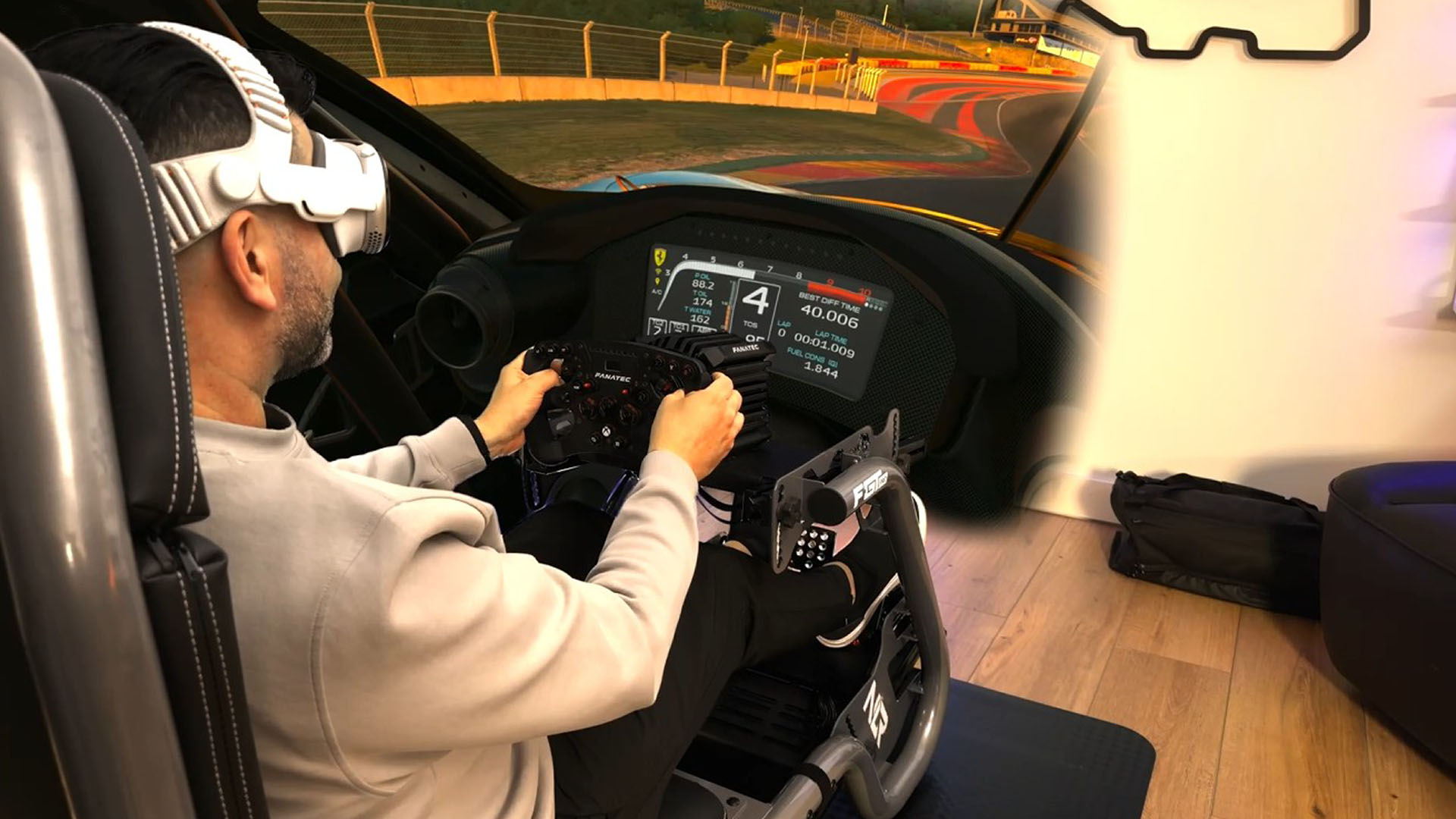
iRacing will become playable on Apple’s Vision Pro mixed-reality headset later this spring, when visionOS 26.4 arrives alongside NVIDIA’s CloudXR 6.0. The company describes the integration as a seamless blend: the headset’s foveated streaming renders the sharpest detail precisely where the driver’s eyes fixate—apexes, brake markers, tire walls—while the rest of the scene streams efficiently. Your actual racing rig stays right there in the real world; through the Vision Pro’s passthrough, your physical hands grip the wheel exactly as they always have, now superimposed over a virtual cockpit that stretches around you with unnerving fidelity.

Logitech G920 Driving Force Racing Wheel & Pedals
This serves as a no-nonsense entry into realistic driving. Dual-motor force feedback delivers honest steering weight and road detail, while the sturdy floor pedals offer progressive braking and smooth throttle. Stainless steel paddle shifters, a leather-wrapped rim, and a full 900-degree rotation create a setup that earns its spot on your rig without needless extras. It works cleanly with Xbox Series X|S, Xbox One, and PC.
Buy on AmazonAffiliate link • Ships fast from Amazon
None of this happens by magic. iRacing relies on NVIDIA’s CloudXR technology to offload the heavy lifting—physics calculations, laser-accurate track modeling, dynamic tire wear—to a PC armed with an RTX GPU. The frames get encoded and beamed wirelessly to the Vision Pro over Wi-Fi. The result is the same uncompromising iRacing experience millions already chase on monitors or traditional VR headsets, but now layered into your living room, garage, or wherever you keep the rig. No more staring at flat screens or wrestling with bulky Oculus straps; the cockpit feels like it belongs in the room with you.

Thrustmaster T300RS GT Steering Wheel & Pedal Set
The T300 is a proven mid-range wheel with smooth belt-driven force feedback and a responsive brushless motor for clear track feel. An 11-inch leather wheel, solid three-pedal GT set, and PS5, PS4, and PC compatibility give racers the precision to brake later, hold tighter lines, and improve lap after lap.
Buy on AmazonAffiliate link • Ships fast from Amazon
“We’re thrilled to have worked with Apple and NVIDIA to bring iRacing to Apple Vision Pro,” said iRacing president Tony Gardner. “With the ultra-high-resolution capabilities of Apple Vision Pro and the power of NVIDIA’s RTX GPU, this new spatial experience puts our users in the driver’s seat with a level of immersion and fidelity never before seen in sim racing.”
Apple calls the Vision Pro a “revolutionary spatial computer,” and for once the marketing copy isn’t entirely wrong. The device overlays digital content onto the physical world rather than sealing you inside a pure virtual bubble. That passthrough capability is what makes this particular marriage work so elegantly for rig owners. The catch, of course, remains the price: Vision Pro starts around $3,500–$4,200 depending on configuration, or roughly $350 monthly if financed—considerably steeper than most dedicated VR headsets that sim racers have used for years. Serious drivers already invest in triple monitors, direct-drive wheels, and load-cell pedals; adding another several thousand dollars for eyewear that turns the garage into a halo cockpit is not a casual upgrade. It is, however, the sort of leap that rewards those who refuse to settle for “good enough” when chasing lap times.
For anyone who has spent decades tweaking setups, scrubbing tires in practice sessions, and cursing understeer that no amount of setup wizardry could cure, this development arrives like a long-overdue pit stop. The technology finally stops trailing the ambition. Later this spring, the same simulation that professional drivers use to prepare for real races will let you sit in your chair, grab your wheel, and feel the track expand around you in spatial reality. No excuses left except driver error.
Leave a Reply