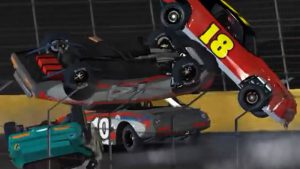
iRacing’s Week 13 is upon us again. It’s a time that is notorious for wrecks and lost safety rating, but some people manage to survive and grab those last few safety rating points needed to advance to the next license. Personally, I always steered clear of official races during Week 13 in favor of hosted and league racing.
Old School Racing Motorsports will be hosting races during Week 13. Look for OSR Hosted Races on the iRacing Hosted page. OSR Leagues also run with Asphalt Cars on Wednesday nights and the OSR 360 Sprint Series on Sunday nights.
If you’re looking around for official racing, the iRacing Week 13 Street Stock Challenge is the official asphalt series. You can get today’s setup now and come back tomorrow and get the day’s setups as I add them.
Day 7 – USA International Speedway[downloads ids=”24434″]
Here are some tips for an easy way to adjust the asphalt setups. The first thing is, you should try to run consistent laps on the setups just like they are before you start trying to adjust them. But if you want you can try this.
- Loose on entry: Raise right front compression.
- Tight on entry: Lower right front compression.
- Loose on exit: Lower right rear compression.
- Tight on exit: Raise right rear compression.
- Loose on entry and tight on exit: Lower right rear rebound.
- Tight on entry and loose on exit: Raise right rear rebound.

Thrustmaster T300RS GT Steering Wheel & Pedal Set
The T300 is a proven mid-range wheel with smooth belt-driven force feedback and a responsive brushless motor for clear track feel. An 11-inch leather wheel, solid three-pedal GT set, and PS5, PS4, and PC compatibility give racers the precision to brake later, hold tighter lines, and improve lap after lap.
Buy on AmazonAffiliate link • Ships fast from Amazon
For official racing, you have these series:
- Asphalt Street Stock Series
- Dirt Street Stocks (Fixed Setup)
- Global Mazda MX-5 Cup Series
- Radical Cup
- NASCAR Fixed Setup Truck Series
- NASCAR Open Setup Class C Truck Series
- NASCAR Open Setup XFINITY Class B Series
- NASCAR iRacing Monster Energy Cup Series Open Setup
- NASCAR iRacing Monster Energy Cup Series Fixed Setup
For unofficial fun racing, you have the following series:
- Sling Mud for Fun featuring the Dirt Super Late Models and 410 Sprints
- The Global Rallycross Series
- The Pickup Cup Series with the old Chevrolet Silverado Truck
- The Carburetor Cup Series which features the Monster Energy Cup cars at Talladega Speedway
- The Dallara Dash featuring the 2011-spec Dallara at Charlotte Motor Speedway
- Thirteenth Week iRacing IR18 Shakedown
- Figure GR8 – Irwindale figure 8 with Solstice and Mustangs
- Mudskipping – Skippy’s on Dirt
So if you just want to drive around, have fun, and forget about all those ratings and points, run league or hosted races, or participate in the fun series listed above.