• Skip to main content
  • Skip to secondary menu
  • Skip to primary sidebar

Old School Racing

iRacing Setups and Resources • Dirt & Asphalt Oval Racing News

  • Get iRacing Setups
  • iRacing Driving Tips
    • iRacing Rookie Tips
      • Tips for Surviving the iRacing Rookie Series
      • iRacing Dirt Career Paths for Rookies (and Beyond)
      • iRacing Rookie Guide Part 1
      • iRacing Rookie Guide Part 2
      • iRacing Rookie Tip: Stop The Car
      • iRacing Rookie Tips: Getting Started and Moving Up
      • iRacing Savvy – Develop Your Racecraft
      • Surviving The iRacing Rookie Series
    • Virgil Graham Slide Job Video
  • iRacing Quick Tips
  • iRacing Setup Help
    • How to Adjust iRacing Asphalt Legends Car Springs and Cross Weight
    • How to Adjust iRacing Sprint Car Cross Weight AKA Wedge
    • How to Make an iRacing Sprint Car Qualifying Setup
    • iRacing Advanced Legends Car Setup Matrix
    • iRacing Asphalt Late Model Stock Car Setup Matrix
    • iRacing Big Block Modified Setup Guide
    • iRacing Big Block Modified Setup Matrix
    • iRacing Dirt Late Model Setup Matrix
    • iRacing Dirt Sprint Car Setup Matrix
    • iRacing Dirt UMP Modified Setup Matrix
    • iRacing Dirt Car Specifications
    • iRacing Dirt Winged Sprint Car Setup Tutorial
    • iRacing Setup Guides
    • iRacing Setup Shop: Tire Stagger
    • iRacing Setup Stagger Chart
    • iRacing Setup Tips for Asphalt Oval Racing
    • NASCAR iRacing Class A Next Gen Cup Car Setup Matrix
    • Quick & Easy Guide: Making an iRacing Dirt 358 Modified Setup
  • iRacing Ton-o-Help
    • Hidden Feature in the iRacing Simulation: DriverRotateHead
    • Hidden Feature in the iRacing Simulation: DriverHeadHorizon
    • How to Automatically Set and Save the Correct Force Feedback For Each Car in iRacing
    • How to Change the Head Rotation Look Angle in iRacing
    • How to Disable Automatic Fast Repair, Tire Changes, and Fuel Fill in iRacing
    • How To Download and Open iRacing Setups
    • How to Improve Your Safety Rating Without the Risk of Racing Against Other Drivers
    • How to Install, Configure, and Use Discord
    • How to Properly Use Custom Car Numbers in iRacing
    • How To Run an iRacing Time Trial
    • iRacing Radio Information
    • Logitech G27 Calibration and Settings for Dirt Rally
    • Logitech G27 Calibration and Settings for iRacing
    • Logitech G29 and G920 Calibration and Settings for iRacing
    • Understanding the Dirt Late Model

How to Improve Your Safety Rating Without the Risk of Racing Against Other Drivers

How can I improve my iRacing safety rating without relying on the brutal official races? I get this question more than any other, especially from iRacing dirt drivers. This reinforces the supposition that the iRacing dirt community is more toxic than ever, and gets worse day by day. So, here is the answer.

Participate in Time Trial sessions.

The idea is to run 10 fast, clean consecutive laps. You will compete against the clock and against other drivers. You will also gain seat time and safety rating.

Time Trial stats can be found on the iRacing Member Website. First, select the series you want at the top of the page.
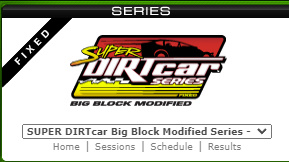
iRacing Classic Member Website Series Selection
Now mouse over Results & Stats in the menu, then select Stats.
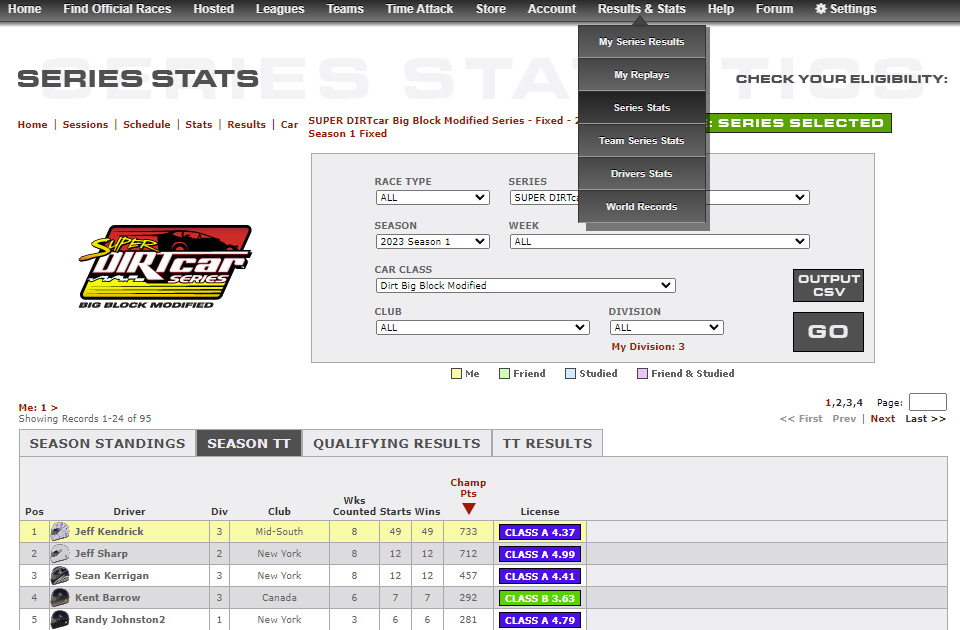
iRacing Season Time Trial Standings
iRacing Time Trial Series Standings

You will be presented with a page that looks like this. Be sure to click the SEASON TT tab near the top.

If you want to look at your best 10-lap-average, select the TT RESULTS tab to the right.
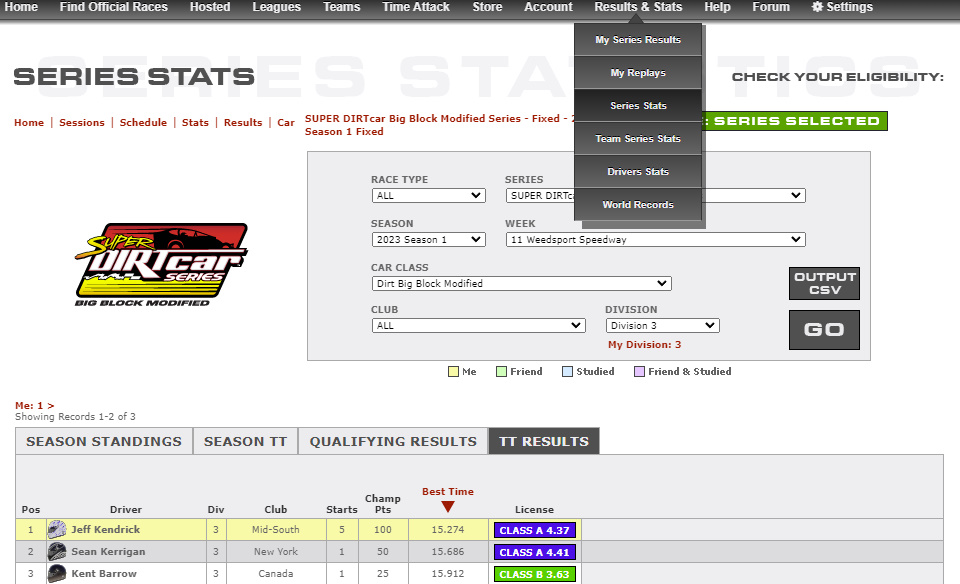
iRacing Season Time Trial Results

Now let’s get on with how to run a Time Trial, in case you don’t already know that.

  1. Open the iRacing UI.
  2. Click Go Racing.
  3. Click Series List.
  4. Click the Series you want to run. Keep in mind you want to make clean laps and a lot of corners, so shorter tracks and faster cars work best, but make sure you are comfortable with the combination and you can run clean laps. No loss of control, no bumping into objects. You also need to run at your iRacing license level or higher.
  5. With the series screen open, press the Go Racing button on the bottom right. Select Time Trial. A session will be ready in two minutes or less.
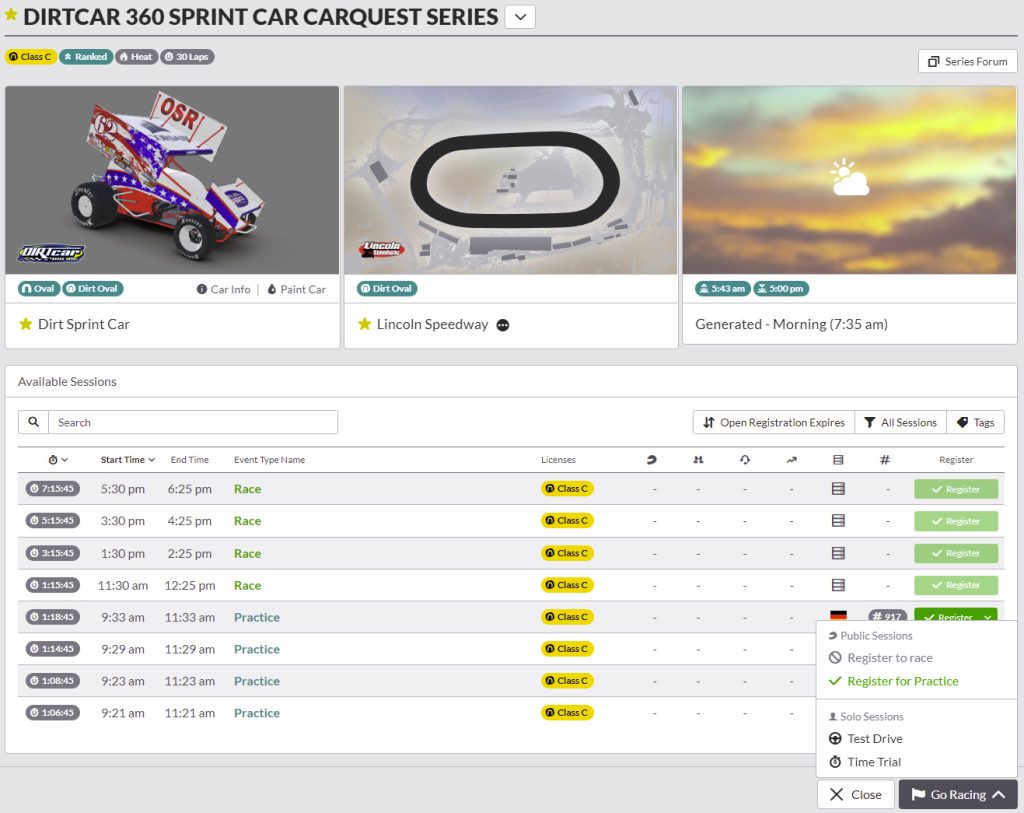
    iRacing UI Session Screen
  6. Go into the session and run as many clean laps as you can. Run the full 30-minute session if possible.

The actual safety rating gained from this varies based on the car, the track, and your current CPI (Corners Per Incident). When the session is over you can view results to see your gain.

Reader Interactions

Leave a Reply Cancel reply

Your email address will not be published. Required fields are marked *

Primary Sidebar

iRacing Setups are Now
Available Here (OSR Discord)


Premier Racing Setups Logo
Try Premier Racing Setups

OSR Social Links

  • OSR Rumble Racing Videos
  • OSR Discord
  • OSR Facebook
  • OSR 𝕏

Search

OSR Rumble Racing Videos | OSR Discord | OSR Facebook
© 2026 · Old School Racing Motorsports · Privacy